PPC
22 July 202611 min readMatthew HobsonChatGPT Ads in 2026: An Introduction for Ecommerce Brands
OpenAI has started selling ads inside ChatGPT, and the platform is still in beta. We went through every screen: campaign types, objectives, targeting, product feeds, customer match, the conversion pixel and the reporting that is not there yet. Here is how ChatGPT ads work and what ecommerce brands should do about them.
OpenAI is now selling advertising inside ChatGPT. The platform is called Ads Manager, it is in beta, and it is already live enough to take money and serve impressions. We set up an account, walked through every screen and installed the pixel on this site. This is what the platform actually looks like from the inside, rather than what the press coverage says about it.
What OpenAI Ads Manager is
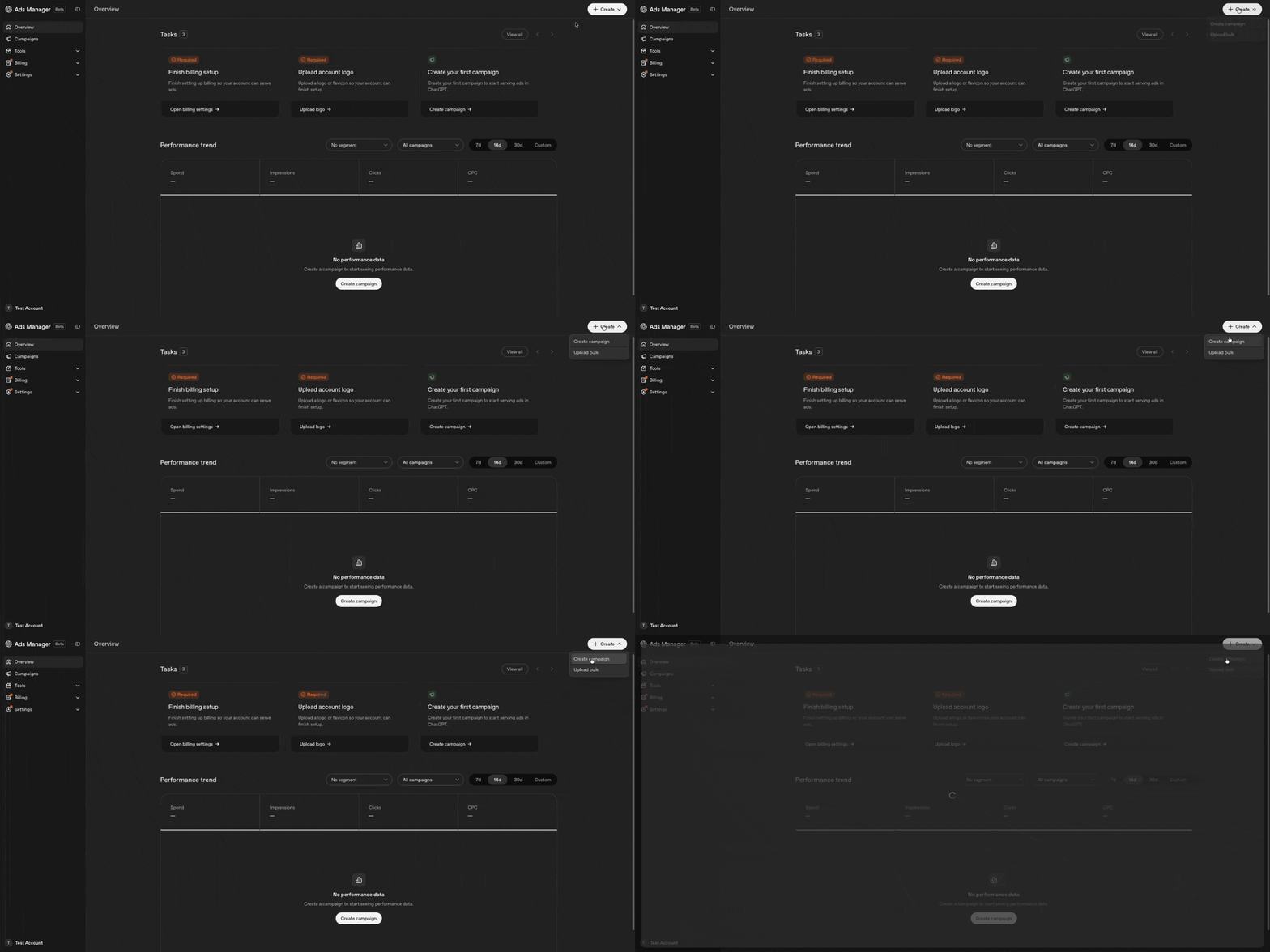
Ads Manager is OpenAI's self-serve buying platform, carrying a Beta label throughout. The onboarding is conventional: finish billing setup, upload an account logo, create your first campaign. The interface states plainly that a campaign is what you create "to start serving ads in ChatGPT". The reporting columns are spend, impressions, clicks and CPC, so this is a cost-per-click auction rather than anything exotic. Accounts also require business verification to keep serving, and OpenAI runs its own crawler to review ads, with the interface warning that reviews may take longer than usual during the beta.
The structure will look familiar
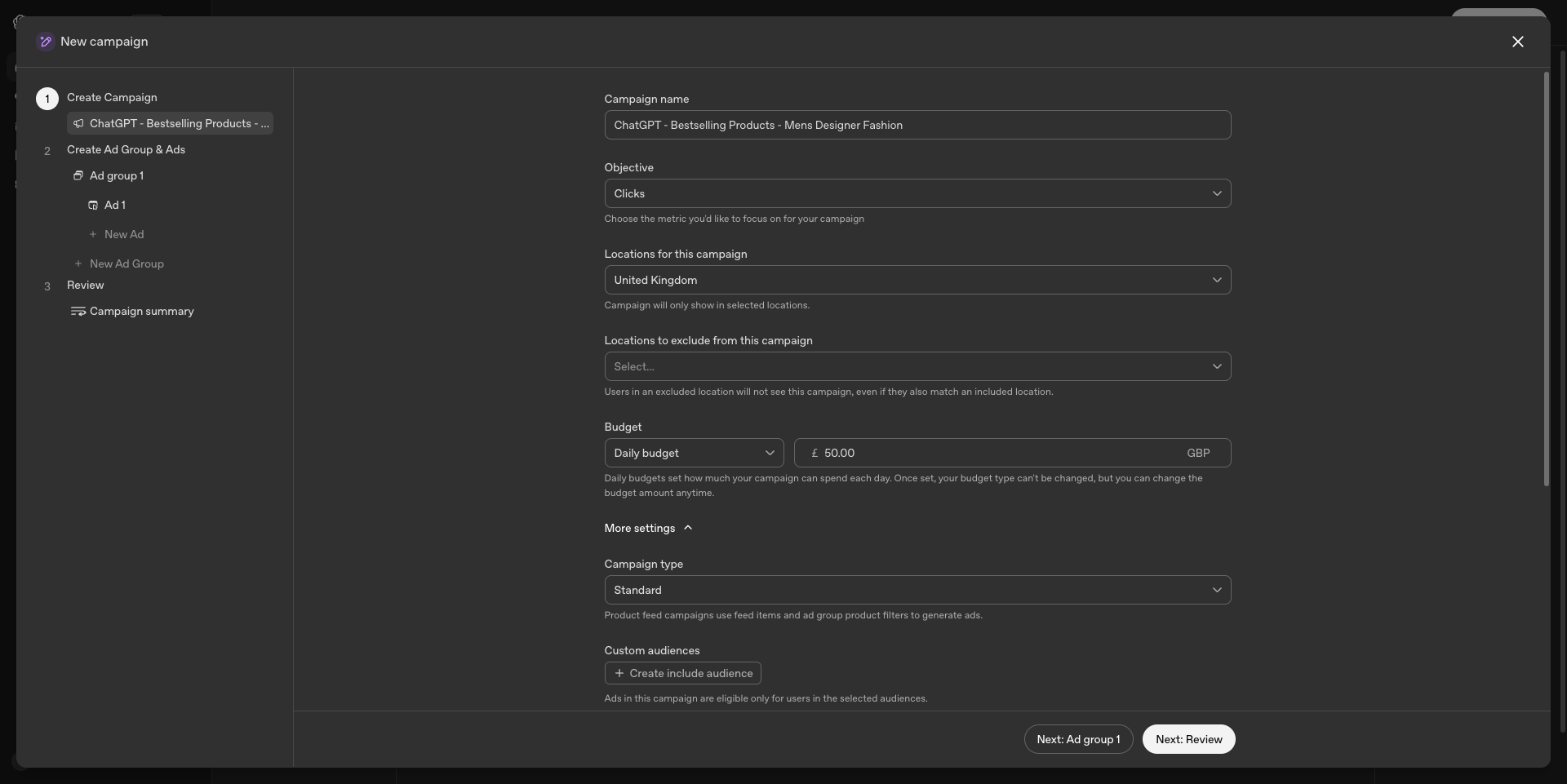
Anyone who has used Google Ads or Meta will be at home immediately. The hierarchy is campaign, then ad group, then ad, with a bulk upload option. Campaign setup covers a name, an objective, included and excluded locations, custom audiences, and a daily budget. One detail worth catching before you launch: the budget type is locked once the campaign is created. You can change the amount later, but not whether it is a daily budget.
Two campaign types, and one matters for retail
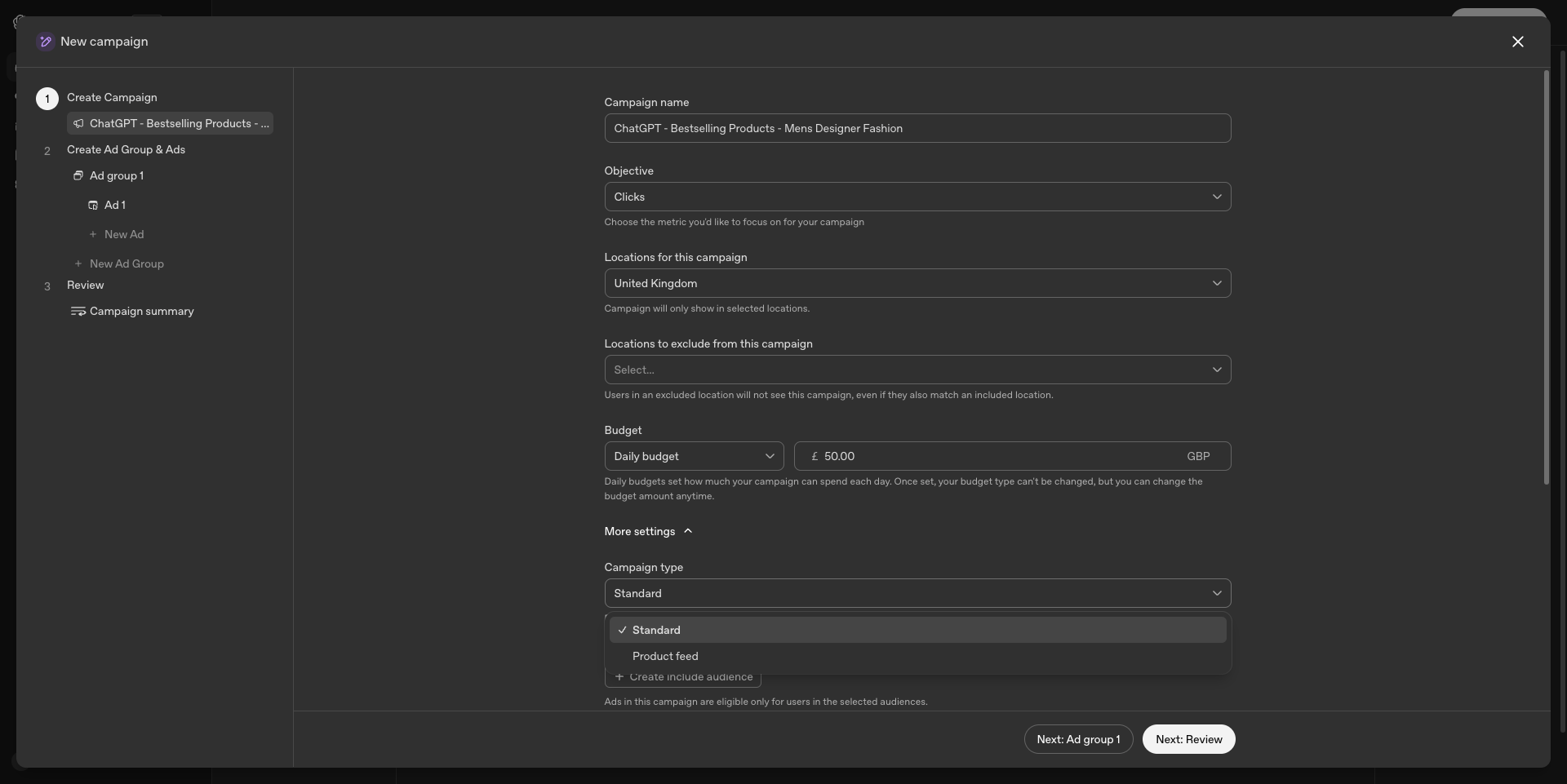
Under More settings you choose between Standard and Product feed. Product feed campaigns generate ads from your catalogue using feed items and ad group product filters, which is the same model as Google Shopping. For any ecommerce brand this is the more interesting of the two, because it means catalogue-driven shopping ads inside ChatGPT rather than a single static creative.
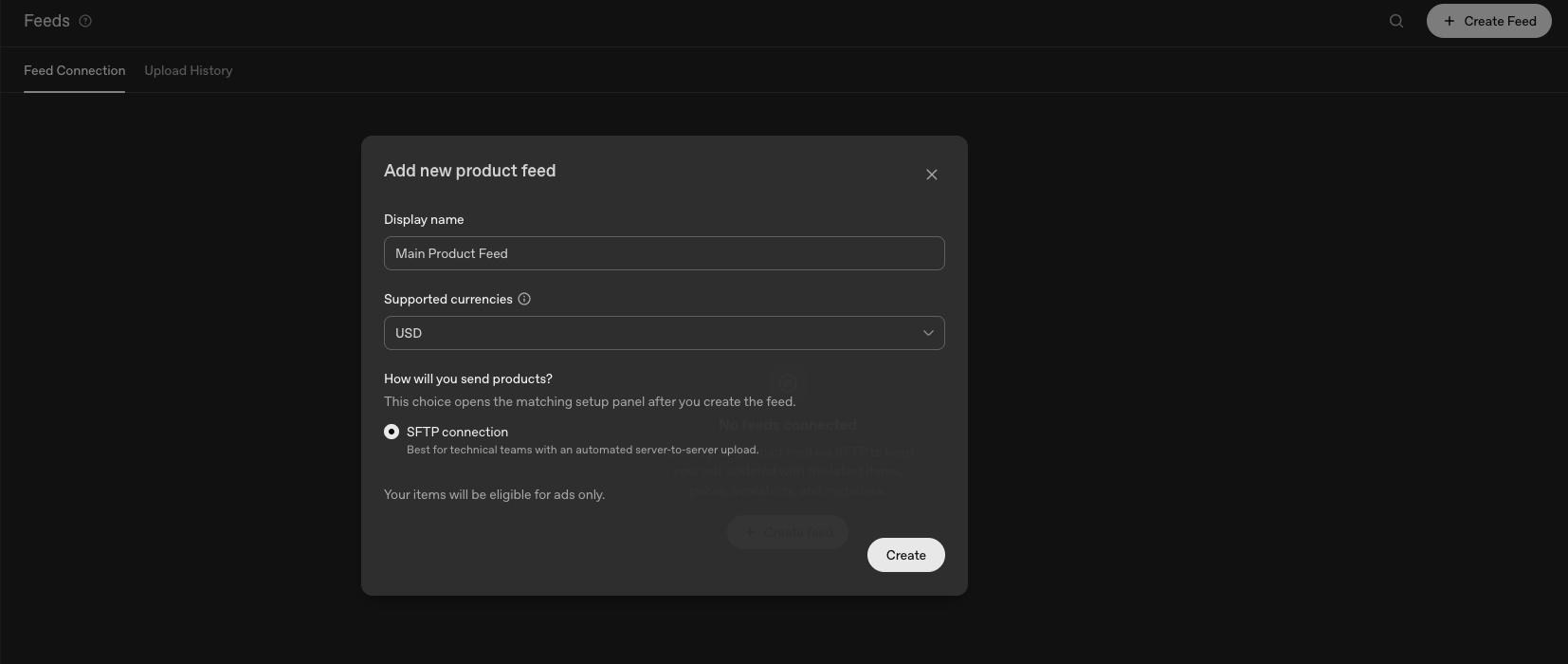
Feeds are set up separately under Tools. You give the feed a display name, choose supported currencies, and connect it over SFTP, which OpenAI describes as best for technical teams running an automated server-to-server upload. There is no Shopify or Merchant Center style one-click connector yet, and the interface notes that items uploaded this way are eligible for ads only. If you are already maintaining a clean product feed for Google Shopping, most of that work carries over. If you are not, this is the point where feed hygiene stops being optional.
Three objectives, and one of them is locked
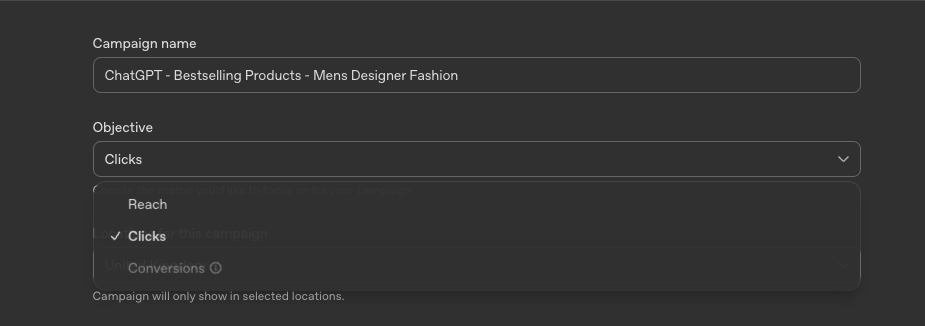
The objective list is short: Reach, Clicks and Conversions. Reach and Clicks are selectable straight away. Conversions is greyed out, because you cannot optimise toward conversions until the platform is actually receiving conversion data from your site.
Targeting: you describe conversations, not keywords
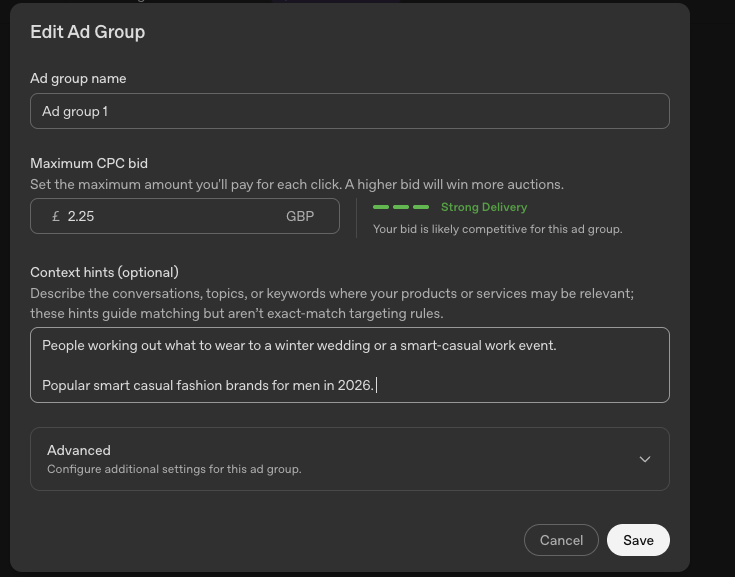
This is the genuinely new part. Alongside location targeting there is a context hints field, described in the platform as a place to "describe the conversations, topics, or keywords where your products or services may be relevant", with the note that these hints guide matching but are not exact-match targeting rules. There is no keyword list, no match types and no negative keywords in the sense a search buyer would recognise. You are writing a description of when you are relevant and handing it to a model, which is a meaningfully different skill to building a keyword tree.
The instinct for most advertisers will be to paste in a keyword list. That is the wrong shape of input. A keyword is a fragment of what someone typed into a search box. A ChatGPT conversation is someone describing a situation, often at length, before any product is mentioned at all. The hints that work describe the moment a person is in and the problem they are trying to solve, not the products you happen to stock.
| Approach | What you would write for a designer menswear brand |
|---|---|
| Keyword thinking, weak | mens designer fashion, designer menswear, luxury clothing, mens coats, designer jackets UK, premium menswear brands |
| Conversation thinking, better | People working out what to wear to a winter wedding or a smart-casual work event. Shoppers asking whether a designer coat is worth the money, how to build a capsule wardrobe, or how to choose between a wool overcoat and a padded jacket. Questions about how sizing and fit compare between premium labels, how to care for leather and wool, and what to buy as a gift for a man who is difficult to buy for. |
The test is simple. Read it back and ask whether it describes a person's situation or a list of your products. If it reads like a feed export, rewrite it. And because there are no negative keywords, the hints are also the only place you can steer the model away from the wrong audience, so it is worth being specific about who you are for. A brand selling £600 overcoats should say so, rather than describing itself in terms that would match someone hunting for a bargain.
Bidding is manual, and it sits at ad group level
Bidding is set per ad group as a maximum CPC, the most you are willing to pay for a click, in your account currency. There is no automated bid strategy at this stage: no target CPA, no target ROAS, no maximise conversions. To anyone used to Google's smart bidding this will feel like a step back a decade, though it does mean you keep direct control of costs while the platform is unproven, which is arguably the right trade in a beta.
As you enter a bid, the interface shows a delivery strength indicator and tells you whether your bid is likely to be competitive for that ad group. Treat it as directional only. It is describing auction pressure, not the quality or value of the traffic you will get. With no query reporting to sanity-check against, the strength indicator is the platform grading its own homework, so let your own conversion data decide what a click is actually worth to you.
Audiences are customer match, and they want your first-party data
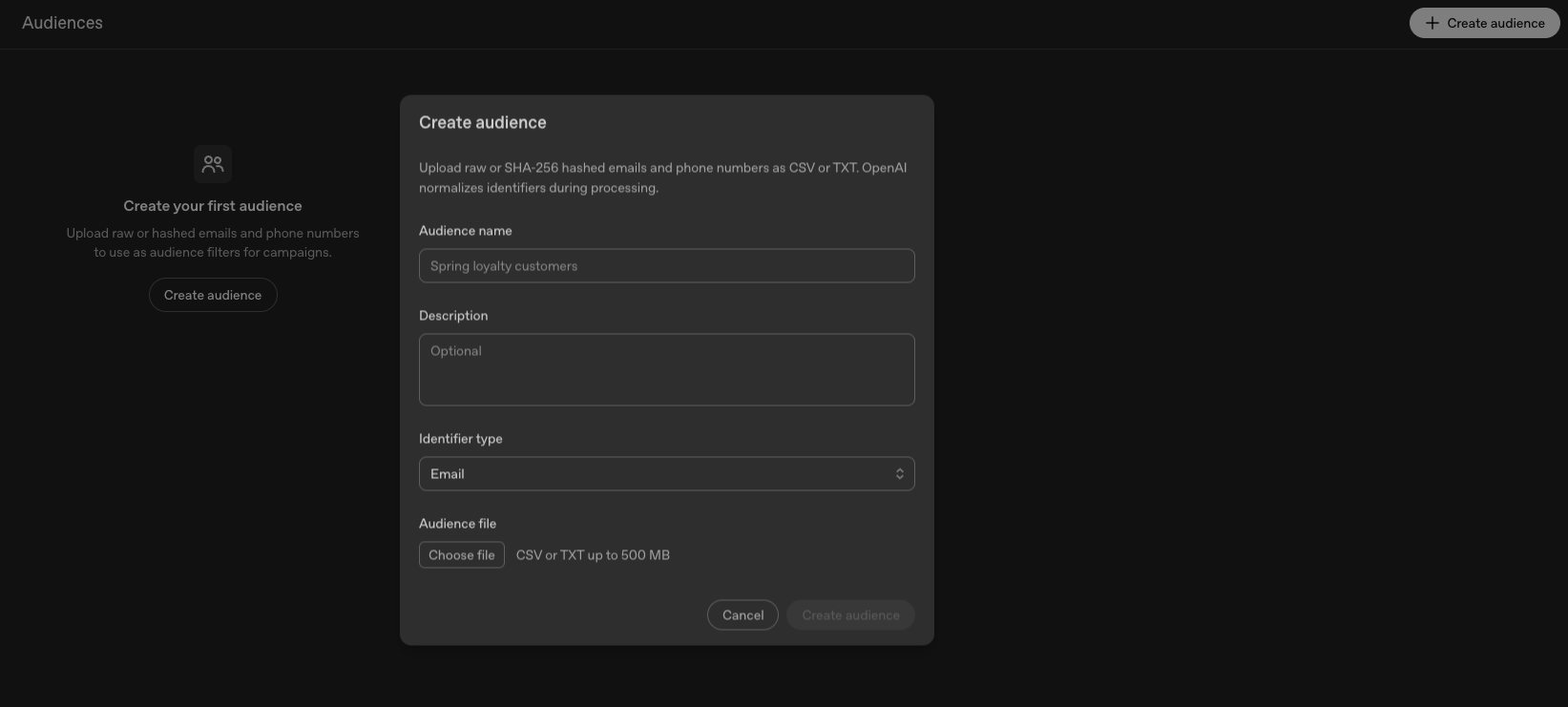
Under Tools, Audiences accepts raw or SHA-256 hashed emails and phone numbers, uploaded as CSV or TXT files up to 500 MB, with OpenAI normalising identifiers during processing. Audiences can then be included or excluded at campaign level. In practical terms this is customer match: your CRM list becomes a targeting and suppression layer. Brands with a well-maintained customer database and clean consent records can act on this on day one. Brands whose email data sits in three disconnected systems cannot.
How conversion tracking works
Conversion tracking runs on an OpenAI pixel. You create a data source, create a conversion event, implement and log that event on your site, then link the event to a campaign. The setup panel gives you a loader script and your pixel ID, along with a Send to developer button and an Implement with Codex shortcut for teams who would rather not touch the code themselves.
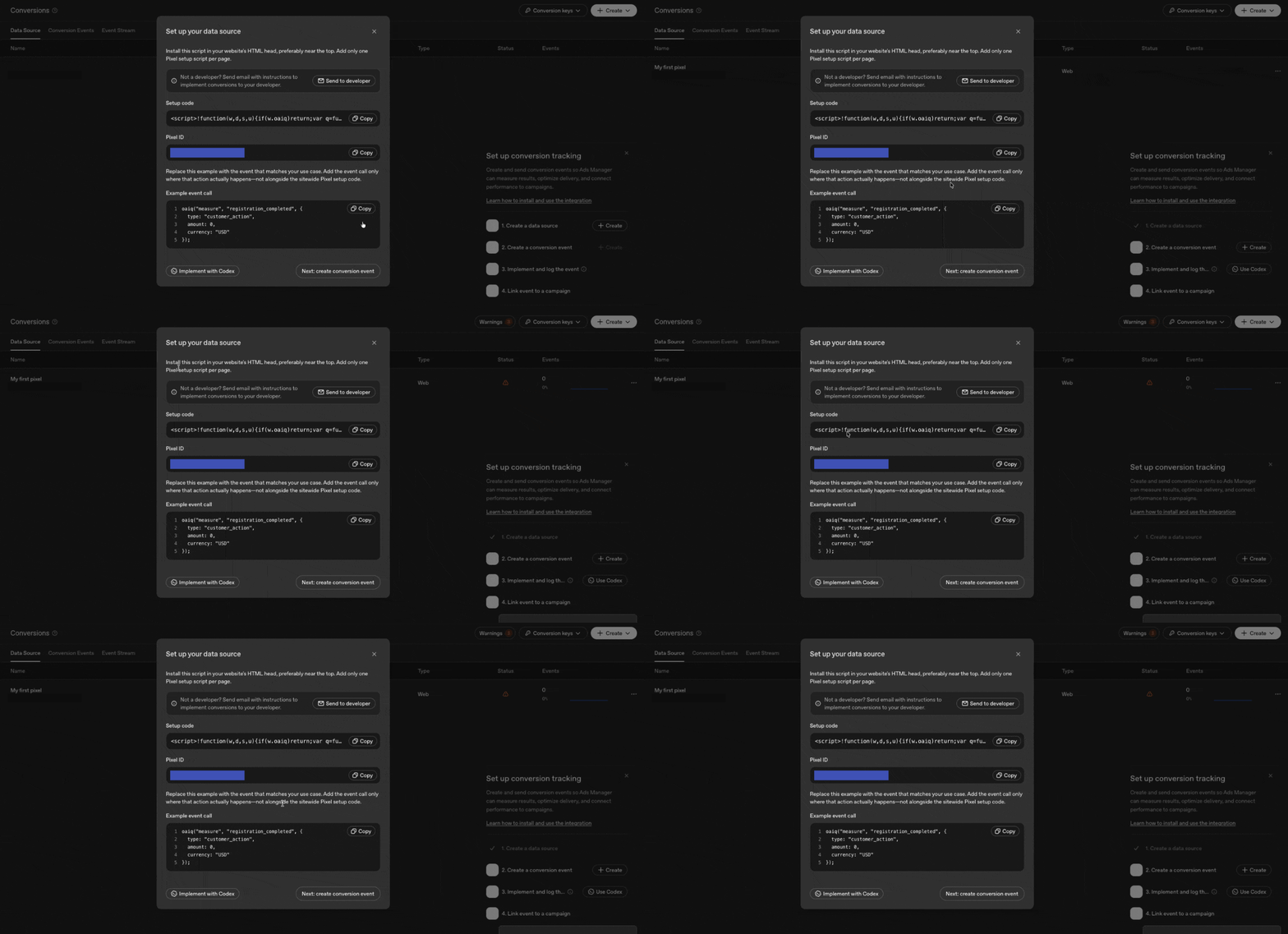
The pixel loader goes in the head of every page. Events are then fired individually wherever the action actually happens. OpenAI is specific about this: add the event call only where that action occurs, not alongside the sitewide setup script. The event call itself is simple.
A note from our own install. OpenAI advises placing the loader in the head near the top of the page. On a performance-sensitive site that is a real trade-off, because a render-blocking third-party script in the head is one of the fastest ways to damage mobile LCP. We load it the same way we load our other advertising tags, after the page becomes interactive and gated behind advertising consent, which keeps the measurement intact without paying for it in Core Web Vitals. If you operate in the UK or EU, that consent gate is not optional.
What you cannot see yet
This is a beta, and the reporting is where that shows most. Campaign reporting covers spend, impressions, clicks and CPC, and very little beyond it. The gap that will matter most to any search buyer is query visibility: there is no view of the prompts or conversations that triggered your ads. There is no search terms report, no equivalent of a query mining workflow, and therefore no negative keyword list to build from it. You can describe the conversations you want to appear in, but you cannot yet see the ones you actually appeared in.
Other beta limitations worth knowing
Business verification is required to keep ads serving, and the interface warns that ad reviews may take longer than usual while OpenAI works through the queue. Product feeds connect only over SFTP, so there is no one-click Shopify or Merchant Center integration yet. There is no third-party measurement or independent verification of delivery, so for now you are reconciling OpenAI's numbers against your own analytics and nothing else. Treat every figure the platform reports as unverified until you can tie it back to your own data.
Where do ChatGPT ads appear?
Inside ChatGPT. The Ads Manager interface states that campaigns serve ads in ChatGPT, and the account-level reporting tracks impressions, clicks and CPC against that inventory. OpenAI has not documented the specific placements or formats in any detail within the beta interface itself, and we would treat any confident claim about exactly how the ads render as speculation until it is published or observed in the wild.
How much do ChatGPT ads cost?
Pricing is auction-based on a cost-per-click model. You set a maximum CPC bid manually at ad group level and a daily budget at campaign level, both in your account currency, and the budget type cannot be changed after the campaign is created. There are no automated bid strategies yet. OpenAI has not published benchmark costs, and because the platform is in beta with a limited advertiser pool, any CPC you see in the first few weeks should be treated as a moving number rather than a planning figure.
Can you track conversions from ChatGPT ads?
Yes. OpenAI provides a first-party pixel that you install on your site, then fire named events at the points that matter, such as a lead form submission or a purchase. Those events are linked to campaigns inside Ads Manager. Until events are flowing, the Conversions objective is unavailable, so conversion tracking is a prerequisite for conversion optimisation rather than a reporting nicety.
Should ecommerce brands advertise on ChatGPT yet?
For most brands the honest answer is a small, instrumented test rather than a budget shift. The audience is enormous and the advertiser pool is currently thin, which is historically when acquisition costs are at their most forgiving. But it is a beta with unproven measurement, no published benchmarks and no third-party verification. Treat it as a learning budget, insist on proper conversion tracking before the first pound is spent, and judge it on your own numbers rather than the platform's.
What we would do this week
| Do this | Why it matters |
|---|---|
| Install the pixel and complete business verification | Verification is required to keep ads serving, and the pixel needs time to collect data |
| Define and fire two or three real conversion events | This is what unlocks the Conversions objective later |
| Start on Clicks with a contained daily budget | Reach and Clicks are the only objectives open to a new account |
| Write context hints properly, then leave them alone | Matching is model-driven, so constant fiddling gives you nothing to read |
| Upload a customer list as a suppression audience | Stop paying to reach people who already bought from you |
| Instrument on-site behaviour, not just the final conversion | With no query reporting, your own site data is the only read you get on intent |
| Get the product feed clean before running feed campaigns | Feed quality decides what the ads say and which products appear |
The pattern here is the same one we wrote about after Google Marketing Live. The platform generates the targeting, assembles the ads and decides who sees them. What it cannot generate is your product data, your customer list and the accuracy of the conversion signal you feed it. OpenAI has made that unusually literal by locking the conversion objective behind your own measurement. The brands that treat tracking as the first job rather than the last will get a genuine head start here, and for once the platform is telling you so on the way in.
More insights
← All articlesWork with us
Start a project